¶ AI Translate Configurations – Admin Panel

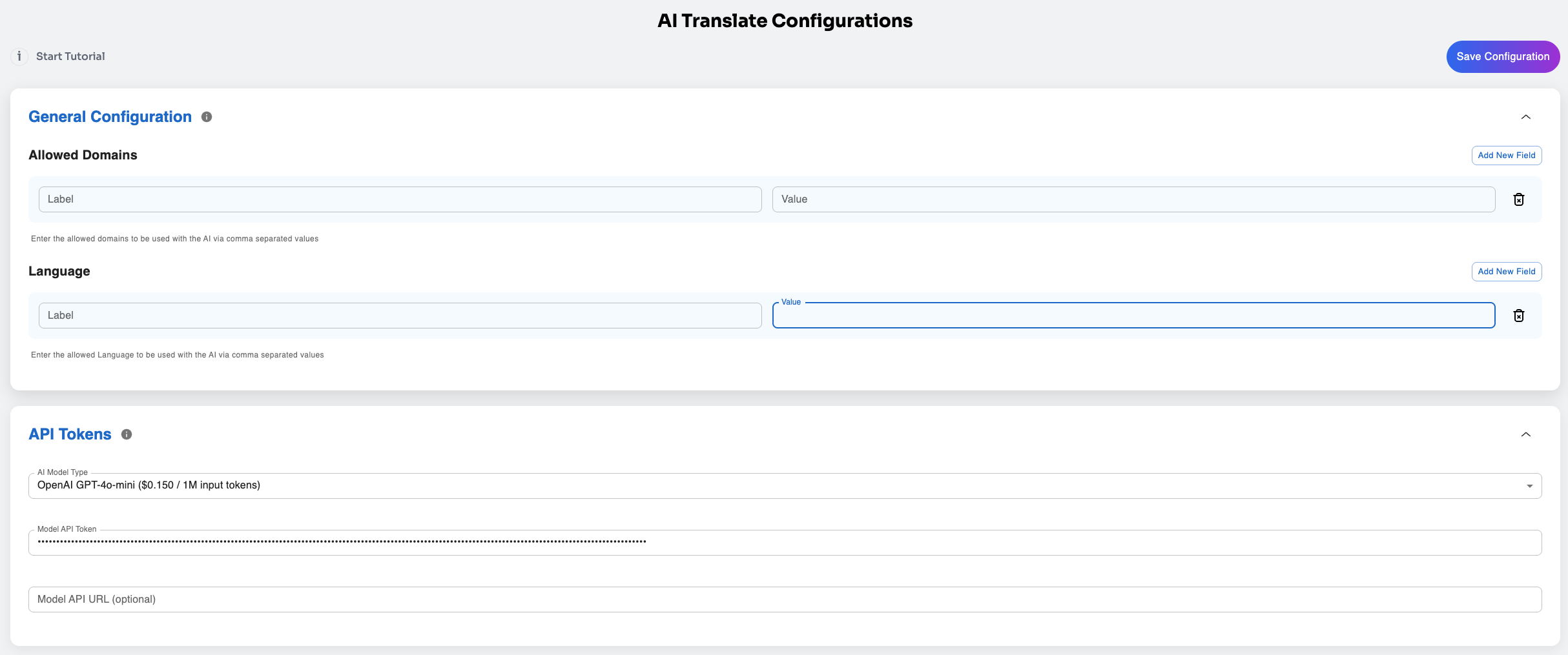
The AI Translate Configurations page allows administrators to manage plugin settings and integration parameters. The configuration is divided into sections, each containing fields for customization.
¶ Sections and Fields
¶ 1. General Configuration
This section defines the global rules for using AI Translate within the system.
Fields:
Allowed Domains (dynamic_fields)
Defines a whitelist of domains allowed to use the AI service.
Format: comma-separated values.
Example: store1.com, store2.com.
Tooltip: "Enter the allowed domains to be used with the AI via comma separated values."
Language (dynamic_fields)
Restricts the languages that can be used with the AI service.
Format: comma-separated values.
Example: en, es, fr.
Tooltip: "Enter the allowed Language to be used with the AI via comma separated values."
¶ 2. API Tokens
This section manages API authentication and model selection.
Fields:
AI Model Type (select)
Dropdown list for selecting the AI engine.
Model API Token (password)
Secure field for entering the API key.
Model API URL (optional) (text)
Custom API endpoint for requests.
If left blank, defaults to system-defined URL.